1. Getting Started
This chapter will provide you with an overview of Starling and the technologies it builds upon. We will first take a brief look at the history of Flash and AIR and how Starling came into being. Then, we will evaluate the tools and resources that will help you when working with Starling. At the end of the chapter, you will have your first "Hello World" example up and running.
1.1. Introduction
First of all: welcome to the Starling community! Since its first release in 2011, developers from all over the world have created amazing games and apps with the help of the little red bird. It’s great you want to join us!
You have come to the right place: this manual will teach all you need to know. We’ll cover everything from 'A' like Asset Management to 'Z' like, ehm, Zen-like coding.
I will start from scratch, beginning with a small game that will give you a feeling for the framework. Then we’ll look at all the concepts in detail, including the display list architecture and Starling’s animation system. Later chapters contain information for advanced Starling users, like how to write custom rendering code. Before you know it, you’ll be a master of Starling!
However, there is one small precondition: you should have a basic understanding of ActionScript 3 (AS3). Fear not: if you have used any other object oriented language, you will get the hang of it quickly. There are numerous books and tutorials available that will get you started.
If you ask me for one book in particular, I can recommend "Essential ActionScript 3" by Colin Moock. When I started to work with AS3, it taught me all the important nuts and bolts, and I’m still taking it off the bookshelf from time to time (especially with AS3’s weird E4X syntax for XML processing).
1.2. What is Adobe AIR?
Just a few years ago, Adobe’s Flash Player was omnipresent when browsing the web. At that time, it was basically the only choice when you wanted to create interactive or animated content for the web. Browsers had very limited capabilities when it came to video, sound, and animation; and the few features they had were plagued by browser incompatibilities. In short, it was a mess.
That’s why Adobe Flash was so popular. It allowed designers and developers to create multimedia content in an intuitive authoring program (now called Adobe Animate), and ensured that it would look the same across all platforms. With ActionScript 3, it also featured a language that was both easy to learn and very powerful.
| Flash was originally created by Macromedia, which was acquired by Adobe in 2005. |
Building on the popularity of its platform, Adobe realized that there was a demand to use the same technology for standalone applications that run outside the browser. That’s what the Adobe AIR runtime is for. Applications built with the AIR SDK can be deployed as standalone applications that run on desktop (Windows, macOS) or mobile (Android, iOS). Its standard library is a superset of the one from Flash, so you can do anything in AIR that you can do in Flash; but it also provides a huge number of additional APIs for things like file system access or window management.
Of course, when you want to create a desktop application, you also need a way to create a graphical user interface, right? Since standard Flash was not very well suited for this task, this was moved into another SDK: Flex (now Apache Flex). Flex also introduced an XML-based markup language (called MXML) to define user interface layouts.
| For Starling, you don’t need Flex, just the AIR SDK. |
1.2.1. The current state of Flash and AIR
At the time of its introduction, AIR was part of a trend summarized under the term "Rich Internet Applications" (RIA) — a buzzword that was all the rage in the late 2000’s. There was a fierce competition between Adobe’s AIR and Microsoft’s Silverlight (as well as Sun’s JavaFX). Fast forward to the present day, though, and it’s apparent that the tides have turned. The winner is clearly HTML5/JavaScript, which is now the most popular technology stack when building applications with web technologies.
The most prominent victim of this rivalry is the Flash plugin. For years, it played a major role in moving the web platform forward; however, it rapidly lost relevance in the 2010s and was officially laid to rest in early 2021. It’s now difficult to even display legacy Flash content – which is sad for all the great content created by developers over the last decades.
Make no mistake, though: that’s the Flash plugin we’re talking about here. AIR is still seeing solid commitment, with regular releases and feature updates throughout each year. Mind you: as of June 2019, that commitment is no longer coming from Adobe — but from Harman. They have taken on the platform support and feature development of AIR and are providing new versions on a commercial basis (with a free version available for smaller companies).
Granted, it may no longer be the "cool kid" in town, but AIR is still an extremely attractive platform to build software with:
-
Compared to the fragmented world of HTML5, where trending libraries change faster than Lady Gaga’s costumes, it is very mature and easy to use.
-
It comes with an extensive standard library that provides all the tools you need for day-to-day development.
-
Especially combined with Starling and Feathers, it provides one of the smoothest paths for true cross-platform development (targeting all major desktop and mobile platforms with a single code-base).
Talking about Starling … how does it fit into this picture?
| When it comes to software development, don’t fall into the trap of blindly following the masses. For every problem, there are multiple solutions; some of them better suited than others. Pick the tool you are most comfortable with; a tool that gets out of your way and lets you focus on the software you want to create. |
1.3. What is Starling?
The Starling Framework allows you to create hardware accelerated apps in ActionScript 3. The main target is the creation of 2D games, but Starling may be used for any graphical application. Thanks to Adobe AIR, Starling-based applications can be deployed to all major mobile and desktop platforms.

While Starling mimics the classic display list architecture of Adobe AIR/Flash, it provides a much better performance: all objects are rendered directly by the GPU (using the Stage3D API). The complete architecture was designed for working well with the GPU; common game development tasks were built right into its core. Starling hides Stage3D internals from developers, but makes it easy to access them for those who need full performance and flexibility.
1.3.1. Why another display API?
As outlined above, Starling’s API is very similar to the native Flash API, namely: the flash.display package.
So you might ask: why go to all that effort to recreate Flash inside … err, Flash?
The reason is that the original flash.display API, with its flexible display list, vector capabilities, text rendering, filters, and whatnot, was designed in an era of desktop computers.
Those computers had powerful CPUs, but (by modern standards) primitive, fixed-logic graphics hardware.
Today’s mobile hardware, on the other hand, has an almost reversed setup: a weak (i.e. battery-conserving) CPU with a very advanced graphics chip.
The problem: it’s extremely difficult (if not impossible) to change an API that was designed for pure CPU rendering to suddenly use the GPU efficiently. Thus, such attempts failed spectacularly, and the Flash plug-in is nowadays completely gone from browsers on phones and tablets.
To its credit, Adobe was very aware of this issue. That’s why, back in 2011, they introduced a low level graphics API called Stage3D. That API is decidedly low-level; it’s basically a wrapper of OpenGL and DirectX, allowing developers to access the raw power of the GPU.
The problem: such a low-level API didn’t help users of the classic display list much, at least not right away.
The Stage3D API is as low-level as it gets, so it’s nothing a typical developer can (or should!) directly work with when creating an app or game.
Clearly, Adobe needed a more high-level API, built on top of Stage3D, but as easy to use as flash.display.
Well … this is where Starling enters the stage (pun intended)! It was designed from ground up for Stage3D, while mimicking the classic Flash API as much as possible. This makes it possible to fully leverage today’s powerful graphics hardware, while using concepts countless developers are already familiar with.
Adobe could have made such an API themselves, of course. However, monolithic APIs built by big companies have the tendency to become big and inflexible. A small open source project, on the other hand, powered by a community of equal-minded developers, can act much more swiftly. That’s the insight that led Thibault Imbert, product manager of the Flash and AIR platforms in 2011, to initiate the Starling project.
To this day, Starling is funded and supported by Adobe.
| There is an interesting blog article in which one of Adobe’s engineers describes the reasons for supporting Starling instead of providing an accelerated version of the classic display list. It’s still available via archive.org. |
1.3.2. Starling’s philosophy
One of the core aims of Starling was to make it as lightweight and easy to use as possible. In my opinion, an open source library should not only be easy to use — it should also encourage diving into the code. I want developers to be able to understand what’s going on behind the scenes; only then will they be able to extend and modify it until it perfectly fits their needs.
That’s why Starling’s source is well documented and surprisingly concise. With a size of just about 15k lines of code, it’s probably smaller than most games that are written with it!
|
I really want to emphasize that: if you’re one day stuck or confused why your code isn’t working as expected, don’t hesitate to step into the source code of Starling. Oftentimes, you’ll quickly see what’s going wrong, and you’ll get a much better understanding of its internals. |
Another important goal of Starling is, of course, its close affinity to the display list architecture. That’s not only because I really like the whole idea behind the display list, but also to make it easy for developers to transition to Starling.
Nevertheless, I was never trying to create a perfect duplicate. Targeting the GPU requires specific concepts, and those should shine through! Concepts like Textures and Meshes aim to blend in seamlessly with the original API, just as if it had always been designed for the GPU.
1.4. Choosing an IDE
As you have just read, Starling apps and games are built using the Adobe AIR SDK. Technically, you could just use a text editor and the command line to compile and deploy your code, but that’s not recommended. Instead, you’ll definitely want to use an integrated development environment (IDE). That will make debugging, refactoring and deployment much easier. Thankfully, there are several to choose from. Let’s look at all the candidates!
| The prices specified below were effective in April 2017. Please check the product sites for the very latest prices and plans. |
1.4.1. Adobe Flash Builder
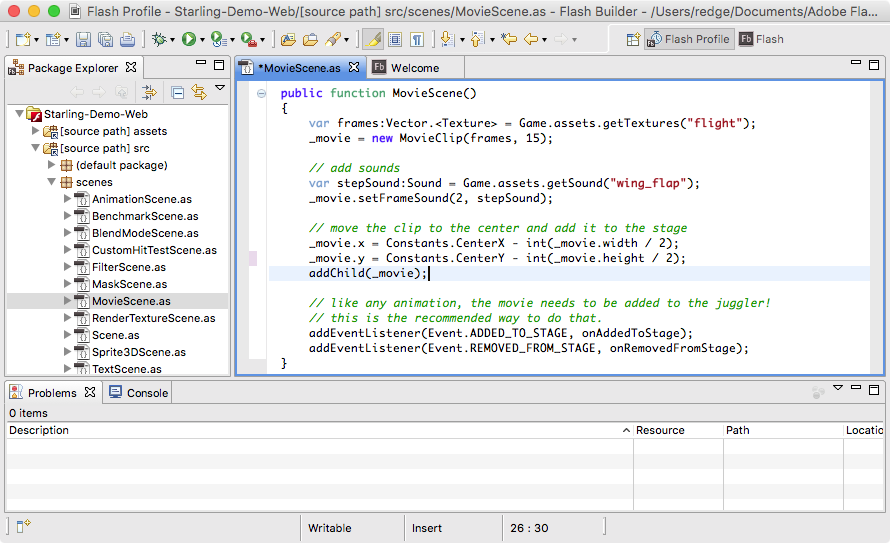
Flash Builder is the official IDE from Adobe; you might also know it under its former name Flex Builder. You can either purchase it as a standalone version (in a standard and premium edition) or get it as part of a Creative Cloud subscription.
Built upon Eclipse, it is a very powerful piece of software, supporting all the features you’d expect, like mobile debugging and refactoring. The premium edition even includes a very useful performance profiler.
Personally, I used Flash Builder for a very long time, and the Starling download even comes with suitable project files. However, there is one caveat: Flash Builder has apparently been abandoned by Adobe. The last update (version 4.7) was released in late 2012, and it wasn’t particularly stable. There are no indications that this situation will change anytime soon.
Thus, I can only recommend it if you are a Creative Cloud user anyway (because then, you’ll get it for free), or if you’ve got an old license lying around somewhere. Don’t get me wrong: it has a great set of features, and you will get stuff done with it. But you will have to live with occasional crashes, and updating the AIR SDK is a chore.
| Platforms |
Windows, macOS. |
| Price |
USD 249 (Standard Edition), USD 699 (Premium Edition). |
1.4.2. IntelliJ IDEA
The next candidate might be called "the IDE to rule them all", because IDEA supports a plethora of languages and platforms. AIR support is handled via the plug-in "Flash/Flex Support".
I’ve been using IDEA for quite a while, and I really like it (especially for its powerful refactoring features). Feature-wise, it feels just like it was built for AS3; all the important parts are in place.
Different to Flash Builder, the IDE receives regular updates. Unfortunately, that’s not the case for the Flash plug-in in particular, though. There are some (minor) deficits that have been waiting for a fix for quite a while.
That’s all just nitpicking, though. It’s an excellent IDE, and it’s my recommendation if you’re on macOS. The only caveat might be that JetBrains recently switched to a subscription based pricing model, which might not be attractive for everybody.
There’s also a free community edition of IDEA, but unfortunately it doesn’t include the Flash/Flex Support plug-in.
| Platforms |
Windows, macOS. |
| Price |
For individuals: USD 149 (first year), USD 119 (second year), USD 89 (third year onwards). Business licenses are more expensive (USD 499/399/299 per year). |
| The subscription model contains a so-called "perpetual fallback license", which means that after 12 months, you’ll be able to keep a version of IDEA even if you cancel the subscription. Personally, I think this mitigates the downsides of the subscription model. |

1.4.3. FlashDevelop
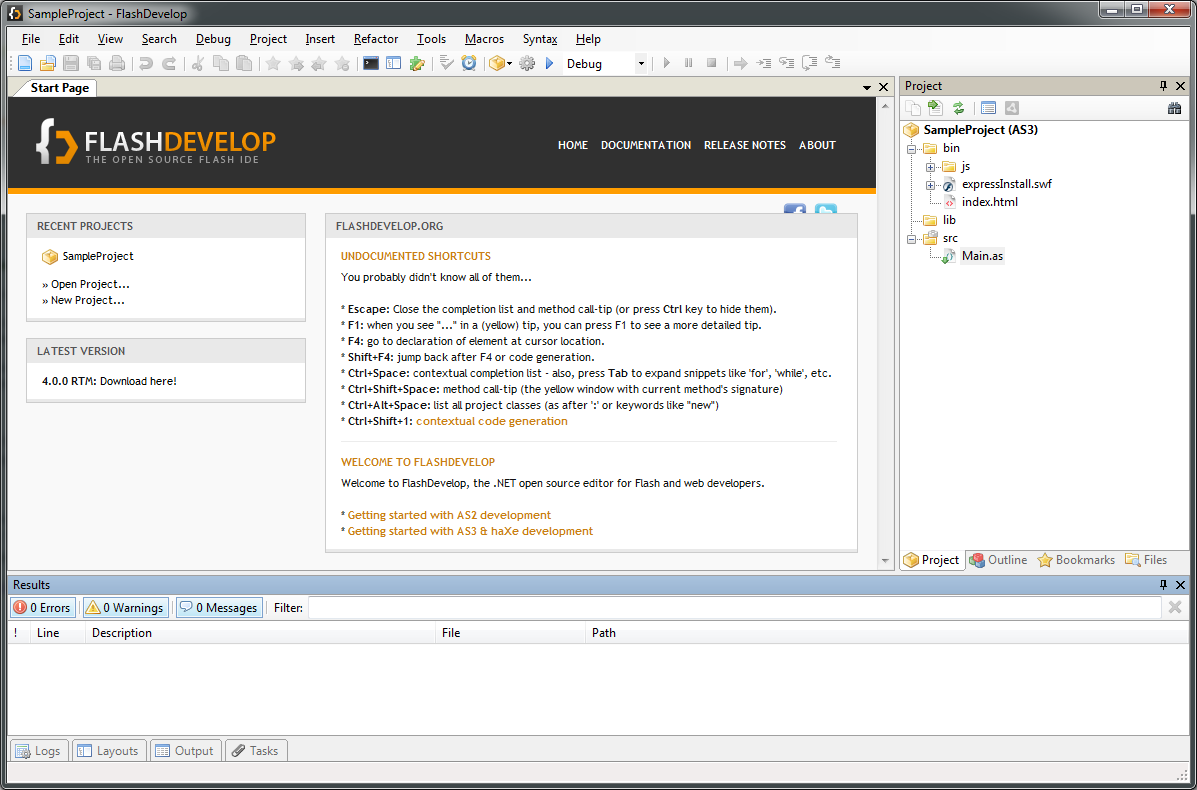
As much as I love working on macOS, here’s an area where I occasionally envy Windows users: they have access to an excellent free (open source) IDE for Starling development: FlashDevelop. It has been around since 2005 and is still seeing updates on a regular basis. If you’re into Haxe, it has you covered, as well.
Since I’m primarily using macOS, I don’t have very much first-hand experience with FlashDevelop; but from countless posts in the Starling forum, I’ve heard only good about it. Some people are even using it on the Mac via a virtual machine (like Parallels).
| Platforms |
Windows only. |
| Price |
Free and open source. |
1.4.4. PowerFlasher FDT
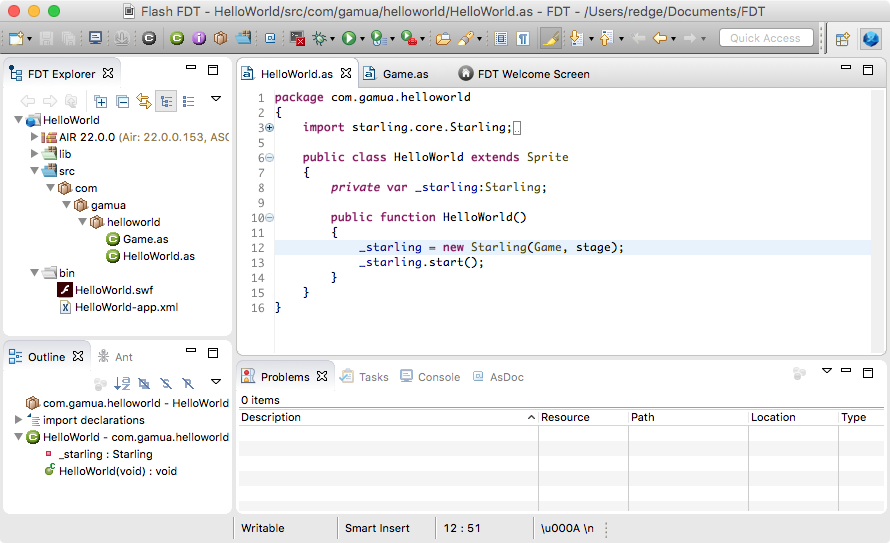
Just like Flash Builder, FDT is built on the Eclipse platform. Thus, it’s a great choice when moving away from Flash Builder, since it all looks and feels very similar. You can even import all your Flash Builder projects.
FDT does improve on Flash Builder in several areas; for example, you can easily change the type of an existing project from Flash to AIR — something that is impossible in Flash Builder. It also supports several additional languages, like HTML5/JavaScript, Haxe and PHP.
All in all, it’s a very solid IDE. If you like Eclipse, you can’t go wrong with FDT!
| There is even a free edition available, which is a great way to get started. Contrary to what the product page suggests, you can also use it for mobile AIR development. |
| Platforms |
Windows, macOS. |
| Price |
Between USD 25 and USD 55 per month (depending on contract length). Students and teachers may apply for special terms. |
1.4.5. Visual Studio Code
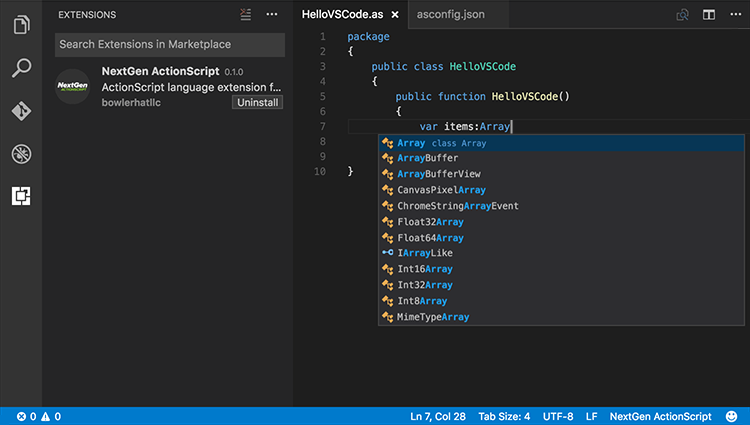
Visual Studio Code is a lightweight but powerful source code editor that’s available for all major desktop operating systems. While it does not support ActionScript out of the box, there is an extension that makes it a viable (and free!) alternative to the other IDEs.
The ActionScript & MXML extension is being developed by Josh Tynjala, who has also brought you the fantastic Feathers user interface components. It turns Visual Studio Code into a full-fledged ActionScript development environment, including code intelligence features like auto-completion, automatic class imports, comfortable debugging, etc.
You’ll be a little bit closer to the metal than with the other IDEs when it comes to configuring your build process, but that’s not a bad thing! I highly recommend giving it a try.
| Platforms |
Windows, macOS and even Linux. |
| Price |
Free and open source. |
1.4.6. Adobe Animate
If you’re a designer or a developer who has been using Flash for a very long time, you might wonder where Adobe Flash Professional is coming up in this list. Well, here it is! If you’re not recognizing it, that’s because Adobe recently renamed it to Adobe Animate. That actually makes a lot of sense, since the new name reflects a major change in its focus. Animate is now a general-purpose animation tool, supporting output not only to Flash, but also HTML5, WebGL, and SVG formats.
While you can use Animate for Starling, I wouldn’t recommend it. It’s a fantastic tool for designers, but it simply wasn’t built for writing code. You’ll be much better off using it just for the graphics, and writing the code in one of the other mentioned IDEs.
| Platforms |
Windows, macOS. |
| Price |
Starting at USD 19.99 / month (for a "Single App" Creative Cloud subscription). |
1.5. Resources
We almost have all the building blocks in place now. Let’s see how to set everything up so that we can finally get started with our first project.
1.5.1. AIR SDK
If you have picked and installed your IDE, the next step is to download the latest version of the AIR SDK. Each new release typically contains several important bug-fixes, which is especially important to maintain compatibility with the latest mobile operating systems. Thus, it’s recommended to always use the very latest version, and to keep an eye on the latest release notes.
Beginning with version 33, AIR is being developed and supported by Harman. You can find it here: Download AIR SDK from Harman.
|
If you don’t want to use Harman’s AIR release for some reason (e.g. licensing issues), it’s still possible to use AIR 32 from Adobe – at least when targeting the Desktop. That is, if you have a copy lying around, because Adobe doesn’t provide it any longer. Also note that this version received its final security update in late 2020. |
1.5.2. Flash Player Projector
After the "death" of Flash Player, you technically don’t need the Flash Player Projector any longer. That’s a standalone version of the plugin that doesn’t require a browser to run Flash content.
However, it’s still a great way to play around with ActionScript and Starling without the hassle of setting up a complete AIR project. Furthermore, you can use the projector to view legacy Flash content ("SWF movies", as they called them), so I recommend you grab a copy before Adobe removes it altogether!
Downloads for all operating systems are available here (look for the "projector content debugger"): Adobe Flash Player Debug Downloads
| The debugger is significantly slower than the standard version. Keep that in mind when you are working on performance optimization. |
Your IDE might need to know how to find the correct player. For example, in IDEA, this setting is part of the debug configurations screen; other IDEs might simply use the system default. In any case, it’s important to always use a player version that’s equal to or higher than the AIR SDK version you compiled the SWF with.
1.5.3. Starling
Now all that’s left to download is Starling itself. You can choose between two ways of doing that.
-
Download the latest release as a zip-file from the Gamua website.
-
Clone Starling’s Git repository.
The advantage of the former is that it comes with a precompiled SWC file (found in the folder starling/bin) that is easily linked to your project.
However, you’ll always only get the stable releases this way, which means you’re missing out on the latest hot updates and fixes!
For this reason, I’d rather advocate using Git.
| Let’s say you report a bug and it is fixed a few days later (yes, that happens!): with the standard download, you’ll have to wait for the fix until I’m creating a new stable release, which could be quite a while. When you’re using the Git repository, you’ll have the fix right away. |
Going into depths about Git would exceed the scope of this manual, but you’ll find lots of great tutorials about it on the web. Once installed, Git can clone the complete Starling repository to your disk with the following command:
git clone https://github.com/Gamua/Starling-Framework.git
This will copy Starling to the folder Starling-Framework.
Look for the actual source code inside the sub-folder starling/src.
All of the mentioned IDEs support adding this folder as a source path to your project, which will make Starling part of your project.
That’s not any more complicated than linking to the SWC file; and as a neat side effect, you will even be able to step into Starling’s source on debugging.
But what’s best about this approach is how easy it is to update Starling to the latest version.
Simply navigate into the repository’s directory and pull:
cd Starling-Framework
git pull
That’s much simpler than opening up the browser and manually downloading a new version, isn’t it?
|
Some additional information for advanced Git-users:
|
1.5.4. Getting Help
The best of us get stuck sometimes. You might hit a road block because of a bug in Starling, or maybe because of a problem that seems impossible to solve. Either way, the Starling community won’t leave you alone in your misery! Here are some resources that you can go to when you need help.
- Starling Forum
-
That’s the main hub of the Starling community. With dozens of new posts each day, it’s very likely that your problem has already been asked before, so be sure to make use of the search feature. If that doesn’t help, feel free to register an account and ask away. One of the most friendly and patient communities you’ll find on the web!
→ http://forum.starling-framework.org - Starling Manual
-
The manual you are reading right now. I try my best to keep it updated for each new release.
→ http://manual.starling-framework.org - Starling Wiki
-
The wiki contains links and articles about different Starling related topics, and most importantly: a list of Starling extensions. We will discuss some of those later.
→ http://wiki.starling-framework.org - API Reference
-
Don’t forget to consult the Starling API Reference for detailed information about all classes and methods.
→ http://doc.starling-framework.org - Gamua Blog
-
Keep up to date with the latest news about Starling via the Gamua blog. I must admit I’m a little lazy when it comes to writing blog posts, but there will always be at least one for each Starling release.
→ http://gamua.com/blog
1.6. Hello World
Phew, that was quite a lot of background information. It’s time we finally get our hands dirty! And what better way to do that than a classical "Hello World" program. This manual wouldn’t be complete without one, right?
1.6.1. Checklist
Here’s a quick summary of the preparations you should already have made:
-
Chosen and downloaded an IDE.
-
Downloaded the latest version of the AIR SDK.
-
Downloaded the latest version of the Flash Player Projector.
-
Downloaded the latest version of Starling.
-
Configured your IDE to use the correct SDK and player.
Configuring the IDE and setting up a project is done slightly different in each IDE. To help you with that, I created a specific how-to for each IDE in the Starling Wiki. Please follow the appropriate tutorial before you continue.
| Admittedly, all of those set-up procedures are a pain. But bear with me: you only need to do this very rarely. |
1.6.2. Startup Code
Create a new project or module in your IDE; I recommend you start with a Flash Player project (target platform: Web) with the name "Hello World". As part of the initialization process, your IDE will also setup a minimal startup class for you. Let’s open it up and modify it as shown below. (Typically, that class is named like your project, so exchange the class name below with the correct one.)
package
{
    import flash.display.Sprite;
    import starling.core.Starling;

    [SWF(width="400", height="300", frameRate="60", backgroundColor="#808080")]
    public class HelloWorld extends Sprite
    {
        private var _starling:Starling;

        public function HelloWorld()
        {
            _starling = new Starling(Game, stage);
            _starling.start();
        }
    }
}
This code creates a Starling instance and starts it right away. Note that we pass a reference to the “Game” class into the Starling constructor. Starling will instantiate that class once it is ready. (It’s done that way so you don’t have to take care about doing stuff in the right order.)
That class first needs to be written, of course.
Add a new class called Game to your project and add the following code:
package
{
    import starling.display.Quad;
    import starling.display.Sprite;
    import starling.utils.Color;

    public class Game extends Sprite
    {
        public function Game()
        {
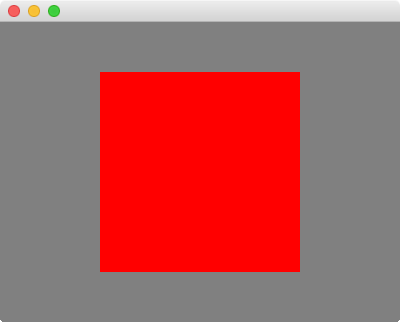
            var quad:Quad = new Quad(200, 200, Color.RED);
            quad.x = 100;
            quad.y = 50;
            addChild(quad);
        }
    }
}
The class just displays a simple red quad to see if we’ve set up everything correctly.
Note that the Game class extends starling.display.Sprite, not flash.display.Sprite!
This is crucial, because we’re in the Starling world now.
It’s completely separate from the flash.display package.
|
1.6.3. First Launch
Now start up the project. For some of you, the output might be a little anticlimactic, because you are seeing an error message like this:

In that case, it was probably the browser that opened up instead of the standalone Flash Player. Check the run/debug configuration and make sure the Flash Player Projector (debug version) is used, not the browser. That should fix the problem.
Fixing the browser error
One day, though, you’ll want to embed your SWF file into an HTML page.
In that case, you can fix the error by changing the wmode Flash parameter to direct in the HTML file that’s embedding the SWF file.
Typically, this means you have to make the following change:
// find the following line ...
var params = {};

// ... and add that one directly below:
params.wmode = "direct";
Fixing the AIR error
You will also see this error if you created an AIR application instead of an SWF file.
In that case, you will need to edit the AIR application descriptor, which is probably called HelloWorld-app.xml or similar.
Find the renderMode XML node (which might be commented out) and change its value to direct.
Find this:
<!-- <renderMode></renderMode> -->

Replace with this:
<renderMode>direct</renderMode>| What we’ve been doing here is allowing the runtime to access the GPU. Without those changes, Stage3D is simply not accessible. |
1.7. Summary
You should now have a basic understanding of Starling and the tools and resources you will work with. You know how to acquire and install the Adobe AIR SDK, and you picked the IDE that fits your needs best. The Starling-powered "Hello World" application proved that everything is set up correctly.
It’s time to jump into your first real game!